Lexe CLI
The Lexe CLI allows you to create and control self-custodial, always-online Lightning wallets from the command line.
With a single command $ lexe init, the Lexe CLI will generate a root seed,
save it to ~/.lexe/seedphrase.txt, register an anonymous account with Lexe,
and set up a mainnet Lightning node running inside a secure enclave inside
Lexe's infrastructure, where only you have access to the funds. Your Lightning
node is always online to receive payments, even if you aren't. Furthermore, node
hosting is free.
Install
Quickstart
Option 1: Create a new wallet
The seedphrase is saved to ~/.lexe/seedphrase.txt and auto-loaded on
subsequent runs. Be sure to back up your seedphrase to a safe place.
Option 2: Control an existing wallet
Export credentials from the Lexe app (Menu > Client credentials), then set via:
LEXE_CLIENT_CREDENTIALS- Set in environment or.envfile--client-credentials- Pass directly in CLI--client-credentials-path- Provide a path to a file with credentials
Verify your setup:
Agentic payments: L402, MPP, and beyond
The Lexe CLI is designed for agents and is compatible with machine-payment
protocols like L402 and Stripe's
Machine Payments Protocol (MPP). These agentic payments
protocols gate a resource behind a Lightning payment and use the payment
preimage as proof-of-payment.
One-shot payments (Spec: L402, MPP charge). The server answers an unpaid request
with 402 Payment Required and a BOLT 11 invoice. The agent pays it, reads back
the preimage, and replays the request with it (e.g. via L402's
Authorization: L402 <macaroon>:<preimage> header):
# Pay the invoice from the 402 challenge.
# The preimage serves as proof-of-payment.
preimage=$(lexe pay-invoice <invoice> | jq -r .preimage)
Sessions (Spec: MPP session). For streaming,
pay-as-you-go billing, the agent funds a session up front and tops it up with
further payments as the balance drains — each top-up is just another
pay-invoice. Unused balance is refunded back to the agent, received with
create-invoice.
Scripting
The CLI is fully scriptable: most commands output JSON (always or via a --json
flag), so you can pipe results straight into tools like jq. Results
are printed to stdout and logs go to stderr, so piping never mixes the two.
Demo
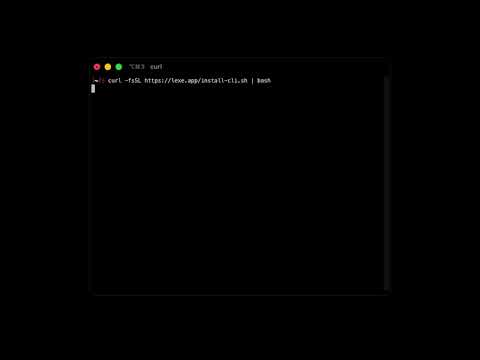
In this demo, we set up the CLI in less than 20 seconds - install the CLI, create a mainnet wallet, and generate an invoice.
Commands and CLI Options
See the top-level CLI help with $ lexe --help:
Lexe CLI - Create and control Lightning wallets from the command line.
   Lexe wallets are self-custodial and always online to receive payments.

Create a new mainnet wallet:
  $ lexe init
  The seedphrase is saved to ~/.lexe/seedphrase.txt and auto-loaded on
  subsequent runs. Be sure to back up your seedphrase to a safe place.

Control a wallet created from the Lexe mobile app:
  Export credentials from the app (Menu > Client credentials), then set via:
    • LEXE_CLIENT_CREDENTIALS     Set in environment or .env file
    • --client-credentials        Pass directly in CLI
    • --client-credentials-path   Path to file with client credentials

Verify your setup, view balance:
  $ lexe node-info

Receive:
  $ lexe create-invoice
  $ lexe wait-for-payment <index> # 0000001778115215123-ln_e1f8e...

Send:
  $ lexe pay-invoice <invoice> # lnbc10u1p5...

List payments:
  $ lexe sync-payments # Sync payments to local storage
  $ lexe list-payments # List payments in local storage

Precedence: CLI args > env vars > .env
  `.env` is loaded from the current or any parent directory.

Usage: $ lexe [OPTIONS] <COMMAND>

Commands:
  init                          Create a new Lexe wallet
  signup                        Register with Lexe and perform initial provisioning
  provision                     Provision wallet to latest enclave releases
  node-info                     Get information about this Lexe node
  analyze                       Get information about a Bitcoin or Lightning payment string
  pay                           Pay a Bitcoin or Lightning payment string
  create-invoice                Create a BOLT 11 invoice to receive a Lightning payment
  pay-invoice                   Pay a BOLT 11 invoice over Lightning
  create-offer                  Create a BOLT 12 offer to receive Lightning payments
  pay-offer                     Pay a BOLT 12 offer over Lightning
  get-next-unused-address       Get an unused Bitcoin address to receive on-chain funds
  pay-onchain                   Send Bitcoin on-chain to an address
  pay-lnurl                     Pay to an LNURL-pay endpoint
  withdraw-lnurl                Withdraw from an LNURL-withdraw endpoint
  buy-with-cash-app             Buy Bitcoin with Cash App
  get-human-bitcoin-address     Get your Human Bitcoin Address
  update-human-bitcoin-address  Claim or update your custom Human Bitcoin Address
  create-payer-proof            Create a proof that you paid a BOLT 12 offer
  sync-payments                 Sync payments from the node to the local payments cache
  list-payments                 List payments from local storage
  clear-payments                Clear all locally cached payment data for this wallet
  wait-for-payment              Wait for a payment to reach a terminal state
  wait-for-next-payment         Wait for the next payment update
  get-payment                   Get a payment by its created index
  get-updated-payments          Get payments which were updated past a specified index
  update-personal-note          Update the personal note on an existing payment
  cancel-payment                Cancel an inbound invoice payment
  list-channels                 List this node's Lightning channels
  open-channel                  Open a Lightning channel from this node to Lexe's LSP
  close-channel                 Close a Lightning channel between this node and Lexe's LSP
  client-info                   Get info about the credentials associated with this wallet
  list-clients                  List the clients authorized to control this node
  create-client                 Create a new client authorized to control this node
  update-client                 Update a client's label, expiration, scopes, or permissions
  revoke-client                 Permanently revoke a client's access to your Lexe wallet
  export                        Export this wallet's seedphrase as 24 words
  help                          Print this message or the help of the given subcommand(s)

Options:
      --network <NETWORK>
          The bitcoin network to use. [default: mainnet]

          [env: LEXE_NETWORK=]
          [possible values: mainnet, testnet3, regtest]

      --client-credentials <CLIENT_CREDENTIALS>
          The client credentials string exported from the Lexe app. [env: LEXE_CLIENT_CREDENTIALS]

      --client-credentials-path <CLIENT_CREDENTIALS_PATH>
          Path to a file containing the client credentials. [env: LEXE_CLIENT_CREDENTIALS_PATH]

      --root-seed <ROOT_SEED>
          Root seed as a 64-character hex string. [env: LEXE_ROOT_SEED]

      --root-seed-path <ROOT_SEED_PATH>
          Path to a file containing the root seed (hex or mnemonic). [env: LEXE_ROOT_SEED_PATH]

      --lexe-data-dir <LEXE_DATA_DIR>
          Data directory for persisted state. [default: ~/.lexe] [env: LEXE_DATA_DIR]

      --rust-log <RUST_LOG>
          Log level: error, warn, info, debug, trace. [default: info] [env: RUST_LOG]

      --without-db
          Use wallet without local payments persistence

  -h, --help
          Print help (see a summary with '-h')
Command Reference
For any command, see detailed help with $ lexe <command> --help.
init
Creates a new Lexe wallet.

Generates a fresh seedphrase, persists it to the Lexe data dir,
registers a wallet with Lexe, and provisions a new user node.

Idempotent: safe to call multiple times.

Usage: $ lexe init

Options:
  -h, --help
          Print help (see a summary with '-h')
signup
Register with Lexe and perform initial provisioning.
Requires the root seed.

This command exists mostly to support specialized flows.
`lexe init` is usually what you want instead.

Idempotent: safe to call even if already signed up.

Usage: $ lexe signup [OPTIONS]

Options:
      --partner-pk <PARTNER_PK>
          Partner public key (hex) to earn a share of this wallet's fees

  -h, --help
          Print help (see a summary with '-h')
provision
Ensure the wallet is provisioned to all recent trusted releases.

Should be called every time the wallet is loaded to ensure the node
is running the most up-to-date enclave software.

Idempotent: safe to call multiple times.

Usage: $ lexe provision

Options:
  -h, --help
          Print help (see a summary with '-h')
node-info
analyze
Get information about a Bitcoin or Lightning payment string and its
constituent payment and claim methods (if any). Returned information includes
the type of method used (invoice, offer, onchain, lnurl-pay, lnurl-withdraw)
and the amount constraints requested by the counterparty.

Analysis results include either a `payable` or `claimable` field.

Payables (outbound) can be paid using
  $ lexe pay <payable>

Claimables (inbound, currently only LNURL-withdraw) can be claimed using
  $ lexe withdraw-lnurl <claimable>

Usage: $ lexe analyze [OPTIONS] <PAYMENT_STRING>

Arguments:
  <PAYMENT_STRING>
          The Bitcoin or Lightning payment string to analyze

Options:
      --json
          Display output as JSON

      --no-qr
          Don't render the QR code

      --payables-only
          Only show payables (outbound payment methods)

      --claimables-only
          Only show claimables (inbound payment methods)

  -h, --help
          Print help (see a summary with '-h')
pay
Pay any string which encodes a Bitcoin or Lightning payment method.

If there exist multiple encoded payment methods, one best recommended
payment method will be chosen.

For finer control over how to pay, consider first using
  $ lexe analyze
to resolve the contents of the payable string, then invoking the specific
pay command for the payment method of choice:
  $ lexe pay-offer ...
  $ lexe pay-invoice ...
etc.

Usage: $ lexe pay [OPTIONS] <PAYABLE>

Arguments:
  <PAYABLE>
          The string to be paid

Options:
      --amount-sats <AMOUNT_SATS>
          Amount in satoshis.
          Optional for payable string with encoded amounts.

      --personal-note <PERSONAL_NOTE>
          Personal note stored locally, not visible to receiver.
          Maximum length: 200 chars / 512 UTF-8 bytes.

      --message <MESSAGE>
          Message sent to the receiver with the payment.

          Supported only if sending to BOLT 12 offers, HBAs pointing to offers,
          LNURL recipients whose wallets accept LUD-12 comments, and Lightning
          Addresses of wallets that accept LUD-12 comments.

          If the payable doesn't support messages, this message will be ignored.

          Maximum length: 200 chars / 512 UTF-8 bytes.

  -h, --help
          Print help (see a summary with '-h')
create-invoice
Create a BOLT 11 invoice to receive a Lightning payment

Usage: $ lexe create-invoice [OPTIONS]

Options:
      --amount-sats <AMOUNT_SATS>
          Amount in satoshis. Omit for amountless invoice.
      --description <DESCRIPTION>
          Description to encode in invoice. Visible to sender when scanned.
      --personal-note <PERSONAL_NOTE>
          Personal note stored locally, not visible to sender.
          Maximum length: 200 chars / 512 UTF-8 bytes.
      --expiration-secs <EXPIRATION_SECS>
          Invoice expiration duration in seconds. Maximum: 604800 = 1 week.
          [default: 86400 = 1 day]
      --partner-pk <PARTNER_PK>
          Partner user_pk for partner-set fees. Required for
          partner_prop_fee and partner_base_fee_sats to take effect.
      --partner-prop-fee <PARTNER_PROP_FEE>
          Partner proportional fee in ppm. Required if partner_pk is set.
          Min: 5000 (0.5%),
          Max: 500000 (50%)
      --partner-base-fee-sats <PARTNER_BASE_FEE_SATS>
          Partner base fee in satoshis. Requires amount_sats to also be set.
      --no-qr
          Don't render the QR code
      --json
          Display output as JSON
  -h, --help
          Print help
pay-invoice
Pay a BOLT 11 invoice over Lightning

Usage: $ lexe pay-invoice [OPTIONS] <INVOICE>

Arguments:
  <INVOICE>  The BOLT 11 invoice to pay

Options:
      --fallback-amount-sats <FALLBACK_AMOUNT_SATS>
          Amount to pay if invoice has no amount.
          Required for amountless invoices.
      --personal-note <PERSONAL_NOTE>
          Personal note stored locally, not visible to receiver.
          Maximum length: 200 chars / 512 UTF-8 bytes.
  -h, --help
          Print help
create-offer
Create a BOLT 12 offer to receive Lightning payments.

Unlike invoices, offers are reusable: multiple payments can be
made to it, including from multiple payers.

Usage: $ lexe create-offer [OPTIONS]

Options:
      --description <DESCRIPTION>
          Description shown to payers when they scan the offer.
          Maximum length: 200 chars / 512 UTF-8 bytes.

      --min-amount-sats <MIN_AMOUNT_SATS>
          Minimum payment amount in satoshis.
          If not set, the payer can send any amount.

      --expiration-secs <EXPIRATION_SECS>
          Offer expiration in seconds from now

      --no-qr
          Don't render the QR code

      --json
          Display output as JSON

  -h, --help
          Print help (see a summary with '-h')
pay-offer
Pay a BOLT 12 offer over Lightning

Usage: $ lexe pay-offer [OPTIONS] --amount-sats <AMOUNT_SATS> <OFFER>

Arguments:
  <OFFER>
          The BOLT 12 offer to pay

Options:
      --amount-sats <AMOUNT_SATS>
          The amount to pay in satoshis.
          Must satisfy the offer's minimum amount if set.
      --message <MESSAGE>
          Message sent to the receiver with the payment.

          Maximum length: 200 chars / 512 UTF-8 bytes.
      --personal-note <PERSONAL_NOTE>
          Personal note stored locally, not visible to receiver.
          Maximum length: 200 chars / 512 UTF-8 bytes.
  -h, --help
          Print help
get-next-unused-address
Get an unused Bitcoin address to receive on-chain funds.

Returns an address with no payments to it as of the node's latest
sync. Repeated calls return the same address until a payment is
detected, so the address may have been previously issued to a
different caller. Sending to it thus carries a small chance of
address reuse.

The upside, however, is that the node can afford to sync and check
for payments to this address indefinitely. This command is thus
suitable for peer-to-peer payments or as a possibly-reused deposit
address.

Usage: $ lexe get-next-unused-address [OPTIONS]

Options:
      --json
          Display output as JSON

  -h, --help
          Print help (see a summary with '-h')
pay-onchain
Send Bitcoin on-chain to an address

Usage: $ lexe pay-onchain [OPTIONS] --amount-sats <AMOUNT_SATS> <ADDRESS>

Arguments:
  <ADDRESS>
          The Bitcoin address to send to.
          Must be valid for the network this wallet is configured for.

Options:
      --amount-sats <AMOUNT_SATS>
          The amount to send in satoshis.

      --priority <PRIORITY>
          How quickly the transaction should confirm.
          A higher priority pays a higher on-chain fee.
          Defaults to `normal`.

          Possible values:
          - high:       Confirm within ~1 block
          - normal:     Confirm within ~3 blocks
          - background: Confirm within ~72 blocks

      --client-payment-id <CLIENT_PAYMENT_ID>
          An optional client-generated payment id for idempotency,
          serialized as a 64-character hex string (32 bytes).
          Retrying with the same id won't send a duplicate payment.
          A random id is generated if not provided.

      --personal-note <PERSONAL_NOTE>
          Personal note stored locally, not visible to receiver.
          Maximum length: 200 chars / 512 UTF-8 bytes.

  -h, --help
          Print help (see a summary with '-h')
pay-lnurl
Pay to an LNURL-pay endpoint.

Use `lexe analyze` to get information on amount constraints,
message length limits, and other details of the LNURL-pay endpoint.

Accepted LNURL encodings:
    Lightning Address          user@domain.com
    LUD-17 URI                 lnurlp://...
    bech32                     lnurl1...
    Lightning URI with bech32  lightning:lnurl1...

Usage: $ lexe pay-lnurl [OPTIONS] --amount-sats <AMOUNT_SATS> <LNURL>

Arguments:
  <LNURL>
          The LNURL-pay string to pay

Options:
      --amount-sats <AMOUNT_SATS>
          The amount to pay in satoshis.
          Must satisfy the recipient's amount limits if set.

      --message <MESSAGE>
          Message sent to the receiver with the payment.

          Sent only if the recipient accepts LUD-12 comments, and
          truncated to their specified length limit if necessary.

      --personal-note <PERSONAL_NOTE>
          Personal note stored locally, not visible to receiver.
          Maximum length: 200 chars / 512 UTF-8 bytes.

  -h, --help
          Print help (see a summary with '-h')
withdraw-lnurl
Withdraw from an LNURL-withdraw endpoint.

Use `lexe analyze` to get information on amount constraints,
default description, and other details of the LNURL-withdraw endpoint.

Accepted LNURL encodings:
    LUD-17 URI                 lnurlw://...
    bech32                     lnurl1...
    Lightning URI with bech32  lightning:lnurl1...

Usage: $ lexe withdraw-lnurl [OPTIONS] <LNURL>

Arguments:
  <LNURL>
          The LNURL-withdraw string to withdraw from

Options:
      --amount-sats <AMOUNT_SATS>
          The amount to withdraw in satoshis.
          Must satisfy the endpoint's amount limits.
          Defaults to the maximum if not set.

      --description <DESCRIPTION>
          Description encoded into the withdrawal invoice,
          visible to the LNURL endpoint.
          Defaults to the endpoint's description if not set.

      --personal-note <PERSONAL_NOTE>
          Personal note stored locally, not visible to endpoint.
          Maximum length: 200 chars / 512 UTF-8 bytes.

  -h, --help
          Print help (see a summary with '-h')
buy-with-cash-app
Buy Bitcoin with Cash App.

Given an amount of Bitcoin to buy, returns a Cash App URL. Open it to
complete the purchase in Cash App. Cash App buys are instant and land
directly into your Lexe wallet.

For the smoothest experience, open this URL on a device where you have
Cash App already set up.

Usage: $ lexe buy-with-cash-app [OPTIONS] <AMOUNT_SATS>

Arguments:
  <AMOUNT_SATS>
          Amount to buy in satoshis. Minimum: 5000

Options:
      --no-qr
          Don't render the QR code

      --json
          Display output as JSON

  -h, --help
          Print help (see a summary with '-h')
get-human-bitcoin-address
Get your Human Bitcoin Address.

The Human Bitcoin Address (BIP 353), e.g. ₿username@lexe.app, is a
human-readable address which others can pay to send Bitcoin to this
wallet. It also works as a Lightning Address (username@lexe.app) for
senders which support LNURL but not BIP 353.

Usage: $ lexe get-human-bitcoin-address [OPTIONS]

Options:
      --no-qr
          Don't render the QR code

      --json
          Display output as JSON

  -h, --help
          Print help (see a summary with '-h')
update-human-bitcoin-address
Claim or update your custom Human Bitcoin Address.

Sets this wallet's Human Bitcoin Address to ₿<username>@lexe.app and
its Lightning Address to <username>@lexe.app. Usernames must be 6 to
24 characters of lowercase alphanumerics and hyphens, and must not
start with, end with, or contain consecutive hyphens.

Claiming requires a total wallet balance of at least 10000 sats. Once
claimed, the username can be changed for 24 hours, then is frozen
for 90 days.

Usage: $ lexe update-human-bitcoin-address [OPTIONS] <USERNAME>

Arguments:
  <USERNAME>
          The username to claim, e.g. "username" for ₿username@lexe.app

Options:
      --no-qr
          Don't render the QR code

      --json
          Display output as JSON

  -h, --help
          Print help (see a summary with '-h')
create-payer-proof
Create a proof that you paid a BOLT 12 offer.

The proof (lnp1...) proves to any third party that the offer's
invoice was paid. It always carries the payer id, payment hash,
payee node id, signature, and invoice features (if present), plus
the offer description, payer note, invoice amount, and invoice
creation time. Use the per-field flags to change what it carries.

Usage: $ lexe create-payer-proof [OPTIONS] <INDEX>

Arguments:
  <INDEX>
          The index of the payment to prove.
          Must be a completed outbound offer payment.

Options:
      --omit-offer-description
          Omit the offer's advertised description
          (TLV type 10)

      --disclose-offer-issuer
          Disclose the payee's self-reported human-readable name
          (TLV type 18)

      --omit-invreq-payer-note
          Omit the message the payer sent when paying the offer
          (TLV type 89)

      --omit-invoice-amount
          Omit the amount the payee's invoice asked for
          (TLV type 170)

      --omit-invoice-created-at
          Omit the timestamp when the payee created the invoice
          (TLV type 164)

      --tlv-types <TLV_TYPE>
          A raw BOLT 12 TLV type to disclose, for fields without a
          dedicated flag. Comma-separate or pass multiple times to disclose
          multiple. Fails if the TLV type cannot be disclosed.

      --proof-note <PROOF_NOTE>
          A note to bind to the proof, readable by anyone the proof
          is shown to. Maximum length: 200 chars / 512 UTF-8 bytes.

      --json
          Display output as JSON

  -h, --help
          Print help (see a summary with '-h')
sync-payments
Sync payments from the user node to the local payments cache.

Usage: $ lexe sync-payments

Options:
  -h, --help
          Print help (see a summary with '-h')
list-payments
List payments from local storage with cursor-based pagination.

Defaults to descending order (newest first) with a limit of 100.
Use `sync-payments` to fetch the latest data from the node first.

Usage: $ lexe list-payments [OPTIONS]

Options:
      --filter <FILTER>
          Filter: all, pending, completed, failed, finalized. [default: all]

          [default: all]

      --order <ORDER>
          Sort order: asc or desc. [default: desc]

      --limit <LIMIT>
          Max number of payments to return. [default: 100]

      --after <AFTER>
          Start after this payment index (for pagination)

  -h, --help
          Print help (see a summary with '-h')
clear-payments
Clear all locally cached payment data for this wallet.

Remote data on the node is not affected.
Use `sync-payments` to re-populate after clearing.

Usage: $ lexe clear-payments

Options:
  -h, --help
          Print help (see a summary with '-h')
wait-for-payment
Wait for a payment to reach a terminal state (completed or failed)
and return the payment information.

Blocks until the payment finalizes or the timeout is reached.
Waits indefinitely if no timeout is given.

Usage: $ lexe wait-for-payment [OPTIONS] <INDEX>

Arguments:
  <INDEX>
          The payment index to wait on

Options:
      --timeout-secs <TIMEOUT_SECS>
          Timeout in seconds. Waits indefinitely if omitted

  -h, --help
          Print help (see a summary with '-h')
wait-for-next-payment
Wait until a payment is updated later than `start_index`,
then return it. Useful for tailing payment updates one-by-one.

Handling should be idempotent. The same payment may be returned
multiple times due to receiving repeated updates.

If your application fails to handle a payment update, resuming
from the start_index that yielded the failed update will
eventually yield the same payment.

If persistence is enabled, this will sync the local database.
Waits indefinitely if no timeout is given.

Usage: $ lexe wait-for-next-payment [OPTIONS]

Options:
      --start-index <START_INDEX>
          Only return a payment updated later than this index.
          Pass the previous response's next_start_index to keep tailing.
          If omitted, waits for the next update unseen by either the
          wallet DB (if persistence enabled) or the user node (if
          persistence disabled).

      --timeout-secs <TIMEOUT_SECS>
          Timeout in seconds. Waits indefinitely if omitted

  -h, --help
          Print help (see a summary with '-h')
get-payment
Get a payment by its created index.

Usage: $ lexe get-payment <INDEX>

Arguments:
  <INDEX>
          The payment's created index

Options:
  -h, --help
          Print help (see a summary with '-h')
get-updated-payments
Get payments which were updated past a specified index.

Useful for tailing / syncing payment updates as they occur and
merging them into a local payments store.

Usage: $ lexe get-updated-payments [OPTIONS]

Options:
      --start-index <START_INDEX>
          The cursor at which the results should start, exclusive.
          If given, payments that were last updated earlier than or
          equal to this will not be returned. If omitted, the least
          recently updated payments will be returned first.

      --limit <LIMIT>
          Maximum number of updated payments to return.
          Unlimited if not set, or capped at 100 without persistence.

  -h, --help
          Print help (see a summary with '-h')
update-personal-note
Update the personal note on an existing payment.

The note is stored on the user node and is not visible to the counterparty.

Usage: $ lexe update-personal-note [OPTIONS] <INDEX>

Arguments:
  <INDEX>
          The payment index

Options:
      --personal-note <PERSONAL_NOTE>
          The new personal note. Omit to clear.
          Maximum length: 200 chars / 512 UTF-8 bytes.

  -h, --help
          Print help (see a summary with '-h')
cancel-payment
Cancel an inbound invoice payment. Idempotent.

Usage: $ lexe cancel-payment <INDEX>

Arguments:
  <INDEX>
          The index of the payment to cancel

Options:
  -h, --help
          Print help (see a summary with '-h')
list-channels
List this node's Lightning channels.

All of this node's Lightning channels are connected to the Lexe LSP.

Usage: $ lexe list-channels [OPTIONS]

Options:
      --json
          Display output as JSON

  -h, --help
          Print help (see a summary with '-h')
open-channel
Open a Lightning channel from this node to Lexe's LSP

Usage: $ lexe open-channel [OPTIONS] --value-sats <VALUE_SATS>

Options:
      --value-sats <VALUE_SATS>
          The value of the channel to open, in satoshis.
      --user-channel-id <USER_CHANNEL_ID>
          An optional client-generated channel id for idempotency,
          serialized as a 32-character hex string (16 bytes).
          Retrying with the same id won't open a duplicate channel.
          A random id is generated if not provided.
      --json
          Display output as JSON
  -h, --help
          Print help
close-channel
Close a Lightning channel between this node and Lexe's LSP

Usage: $ lexe close-channel <CHANNEL_ID>

Arguments:
  <CHANNEL_ID>  The channel id to close,
                serialized as a 64-character hex string (32 bytes).

Options:
  -h, --help  Print help
client-info
Get info about the credentials associated with this wallet.

Includes granted scopes and permissions, expiration, etc.

Note: permission ids in the output (e.g. create_invoice) are unstable
and may be renamed; rely on scopes instead.

Usage: $ lexe client-info [OPTIONS]

Options:
      --json
          Display output as JSON

  -h, --help
          Print help (see a summary with '-h')
list-clients
List the clients authorized to control this node.

Returns each client's public key, creation time, expiration, label,
scopes, explicit permissions, and effective permissions.
Revoked and expired clients are not included.

Note: permission ids in the output (e.g. create_invoice) are unstable
and may be renamed; rely on scopes instead.

Usage: $ lexe list-clients [OPTIONS]

Options:
      --json
          Display output as JSON

  -h, --help
          Print help (see a summary with '-h')
create-client
Create a new client and its associated client credentials.

The returned credentials grant the node access selected via --scope
and --permission, without exposing the root seed, and can be revoked
at any time with `lexe revoke-client`.

At least one --scope or --permission must be granted (see the --scope
possible values); pass either option multiple times to grant several.

An expiration must be chosen explicitly: pass --expiration-days and/or
--expiration-secs to set one, or --never-expires to opt out.

Usage: $ lexe create-client [OPTIONS]

Options:
      --label <LABEL>
          Label for the client. Maximum length: 64 UTF-8 bytes.

      --scope <SCOPES>
          Permission scope to grant. Pass multiple times to
          grant multiple.

          Possible values:
          - read_info:       Read basic node info: identity, balance, channels
          - read_payments:   Read all payments
          - read:            Read everything; cannot spend funds
          - receive:         Create invoices, offers, and addresses; resync
          - manage_channels: Open and close channels
          - spend:           Pay invoices, offers, and on-chain addresses
          - full:            Full admin access: every permission

      --permission <PERMISSIONS>
          Explicit permission id to grant, e.g. "create_invoice".
          Can be passed multiple times.

          Permission ids are unstable and may be renamed; prefer --scope.

      --never-expires
          Create a credential that never expires. Use carefully!

      --expiration-days <EXPIRATION_DAYS>
          Days until the client expires, counting from now.
          Adds to --expiration-secs.

      --expiration-secs <EXPIRATION_SECS>
          Seconds until the client expires, counting from now.
          Adds to --expiration-days.

      --json
          Display output as JSON

  -h, --help
          Print help (see a summary with '-h')
update-client
Update an existing client.

Omitted label and expiration fields are left as-is. If --scope or
--permission is provided, together they replace the client's complete
grant; an omitted set is treated as empty. The resulting grant must
contain at least one scope or permission.

Usage: $ lexe update-client [OPTIONS] <CLIENT_PK>

Arguments:
  <CLIENT_PK>
          The public key of the client to update

Options:
      --label <LABEL>
          Set the client's label. Maximum length: 64 UTF-8 bytes.

      --clear-label
          Clear the client's label

      --clear-expiration
          Clear the client's expiration, so it never expires. Use carefully!

      --expiration-days <EXPIRATION_DAYS>
          Set the client's expiration in days from now.
          Adds to --expiration-secs.

      --expiration-secs <EXPIRATION_SECS>
          Set the client's expiration in seconds from now.
          Adds to --expiration-days.

      --scope <SCOPES>
          Replacement permission scope. Pass multiple times to grant
          multiple.

          Possible values:
          - read_info:       Read basic node info: identity, balance, channels
          - read_payments:   Read all payments
          - read:            Read everything; cannot spend funds
          - receive:         Create invoices, offers, and addresses; resync
          - manage_channels: Open and close channels
          - spend:           Pay invoices, offers, and on-chain addresses
          - full:            Full admin access: every permission

      --permission <PERMISSIONS>
          Replacement explicit permission id, e.g. "create_invoice".
          Can be passed multiple times.

          Permission ids are unstable and may be renamed; prefer --scope.

      --json
          Display output as JSON

  -h, --help
          Print help (see a summary with '-h')
revoke-client
Permanently revoke a client's access to your Lexe wallet.

This cannot be undone.

Usage: $ lexe revoke-client [OPTIONS] <CLIENT_PK>

Arguments:
  <CLIENT_PK>
          The public key of the client to revoke

Options:
      --json
          Display output as JSON

  -h, --help
          Print help (see a summary with '-h')
export
Export this wallet's BIP39 seedphrase.

Prints the 24-word mnemonic, suitable for importing the wallet into
the Lexe mobile app. Pass --qr to also print a QR code encoding the
same mnemonic.

Requires the root seed (not just client credentials).

WARNING: Anyone with the mnemonic or QR code can take full control of
this wallet's funds. Only display this in a private location and store
the backup somewhere safe.

Usage: $ lexe export [OPTIONS]

Options:
      --qr
          Also print a QR code encoding the seedphrase

  -h, --help
          Print help (see a summary with '-h')